
Publishing to a Custom Domain
Applies to: Codeless
Overview
Publication connects your Codeless site to a custom domain (www.yourcompany.com) so visitors use your brand instead of the temporary FlexSite URL. The wizard guides you through DNS records at your domain registrar.
Key concepts
- Domain — address you rent from GoDaddy, Namecheap, Google Domains, etc.
- DNS — registrar control panel where you paste records FlexSite displays.
- HTTPS / SSL — secure padlock; issued automatically after DNS verifies.
- Primary domain — main address when you have both
example.comandwww.example.com.
Prerequisites
- ACTIVE org plan (TRIAL usually blocks custom domains).
- Target environment ready.
- Someone with registrar login (you or IT).
Steps
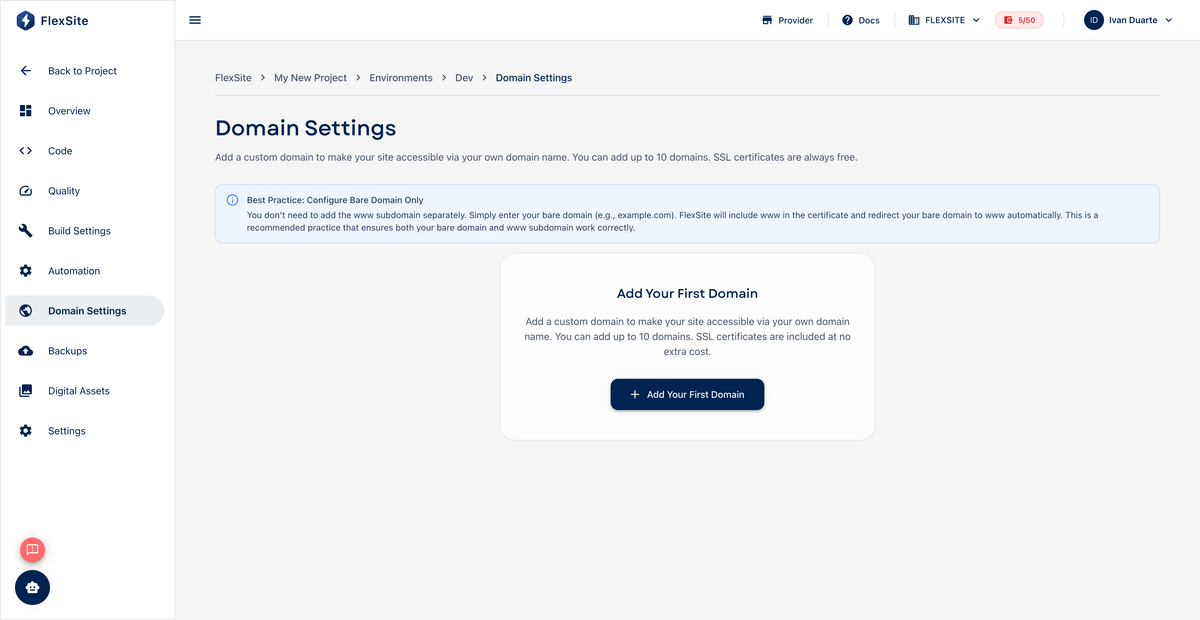
- Open Domains in the project sidebar.
- Click Add domain or start the publication wizard.
- Enter the hostname visitors should type.
- Copy each DNS record into your registrar exactly as shown.
- Wait up to 48 hours for DNS propagation — status becomes ACTIVE with HTTPS when verified.
- Set primary domain and test in a private browser window.
Environment-specific hostnames
For staging.yourbrand.com (not your main marketing domain):
- Open Environments, select staging, then Domain Settings.
- Add the hostname and complete DNS steps there.
Track publication charges on Billing → Usage. See Publication Process for the full glossary and troubleshooting.