
Backups (Database and Files)
Applies to: Codeless
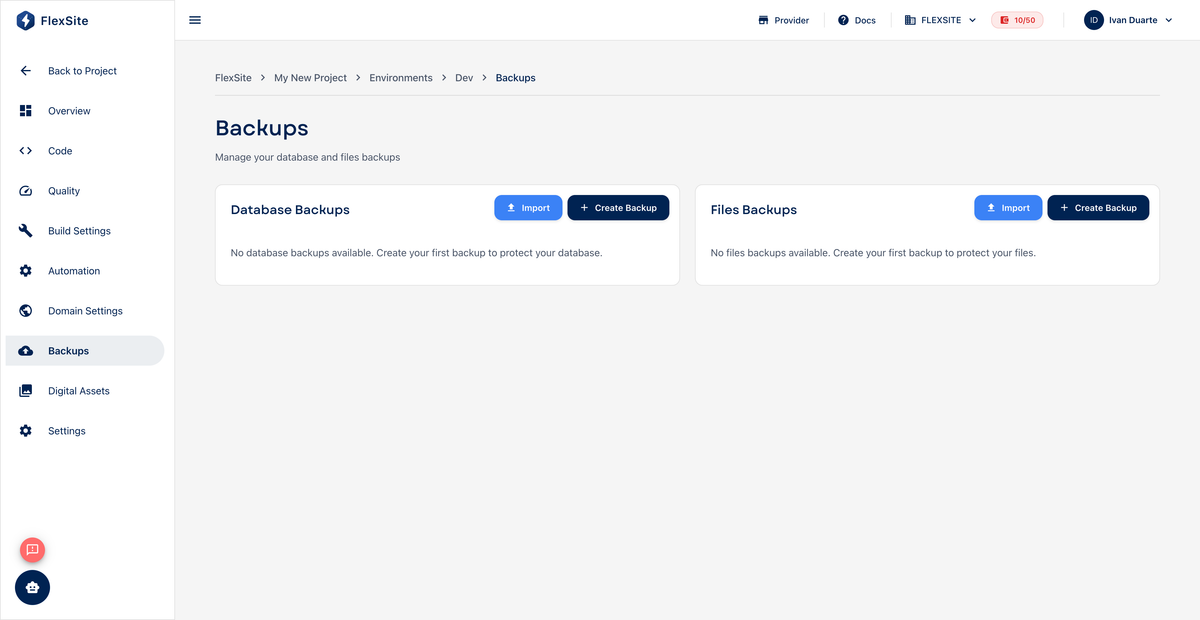
Overview
Backups save snapshots of your Codeless environment so you can recover from mistakes — bad content deploys, accidental deletes, or failed updates. You choose database (content), files (uploads), or both.
Key concepts
- Database — pages, menus, configuration — “the words and structure.”
- Files — images and documents stored on the server.
- Restore — replaces the environment with the snapshot. Overwrites current content — tell editors before restoring production.
Steps — create backup
- Open Environments, select an environment, then Backups.
- Choose Database, Files, or Both (safest before major changes).
- Click Create backup and wait for the success state in the list.
Steps — restore
- Select the snapshot row (note date/time).
- Click Restore and confirm.
- Wait for completion; site may be briefly offline.
- Verify via Quick Login and the public homepage.
Safety backups
FlexSite may auto-snapshot before sync or restore operations.
Credits and local copies
Backup storage and restore may use credits — check Usage.
Teams moving to developer workflows sometimes use FlexLab and CLI tools for local copies; Codeless dashboard backups are enough for most marketing teams.