
Creating a Codeless Project
Applies to: Codeless
Overview
A Codeless project is a full Drupal website you manage from the FlexSite dashboard — no Git required. The New Project wizard collects your site name, starter template, and theme, then FlexSite provisions servers and installs Drupal for you.
Key concepts
- Drupal CMS (Codeless) — the tile you pick in the wizard for dashboard-driven hosting.
- Site template — starter content and configuration (Starter, Byte, Haven, or marketplace packs).
- Theme — visual design applied at creation; you can change later under Themes.
- Provisioning — automated setup after Create Project; see Launch and Provisioning.
Prerequisites
- Org Member with permission to create projects.
- Enough credits on Billing for project + default environment.
Steps
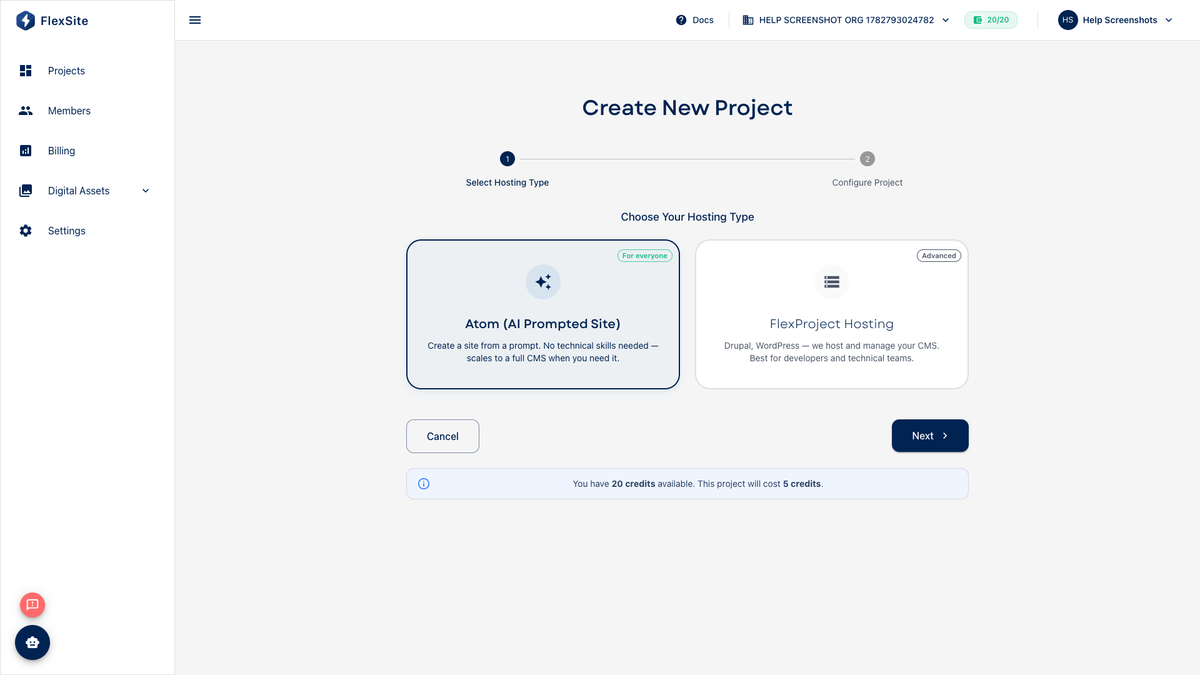
- From Projects, click New Project.
- Select FlexProject Hosting (not Atom).
- Choose Drupal CMS with category Codeless.
- Enter project title and URL slug your team will recognize.
- On the template step, pick:
- Starter — general marketing site (most common).
- Byte — SaaS / product marketing layouts.
- Haven — community or portal-style starter.
- Marketplace pack — only if you need a specific industry recipe (may cost credits).
- On the theme step, keep the bundled theme or browse Theme Marketplace previews.
- Click Create Project and watch Overview until status is ready.
After provisioning
- Click Quick Login to meet Drupal admin.
- Open Environments if you plan separate staging and production copies.
- Review Billing → Usage for creation charges.
Common mistakes
- Choosing FlexLab tile by accident — you will get Git workflows you may not need.
- Starting on TRIAL without checking credits for template + theme charges.