
Organization Management
Applies to: All
Overview
An organization groups your websites, teammates, invoices, and shared media. Most day-to-day editing happens inside a project, but org-level settings affect everyone.
Key concepts
- Owner / admin — can change billing, delete the org, and invite members. Assign these roles carefully.
- Member — can access projects they are invited to, but may not see Billing or Settings.
- Digital Assets — one media library shared across Codeless sites in the org (logos, photography, documents).
Prerequisites
- You must be an organization owner or admin to change org settings or delete the org.
- Billing changes require permission to view Billing.
Steps — update org details
- Open Projects.
- Click the organization name in the top bar.
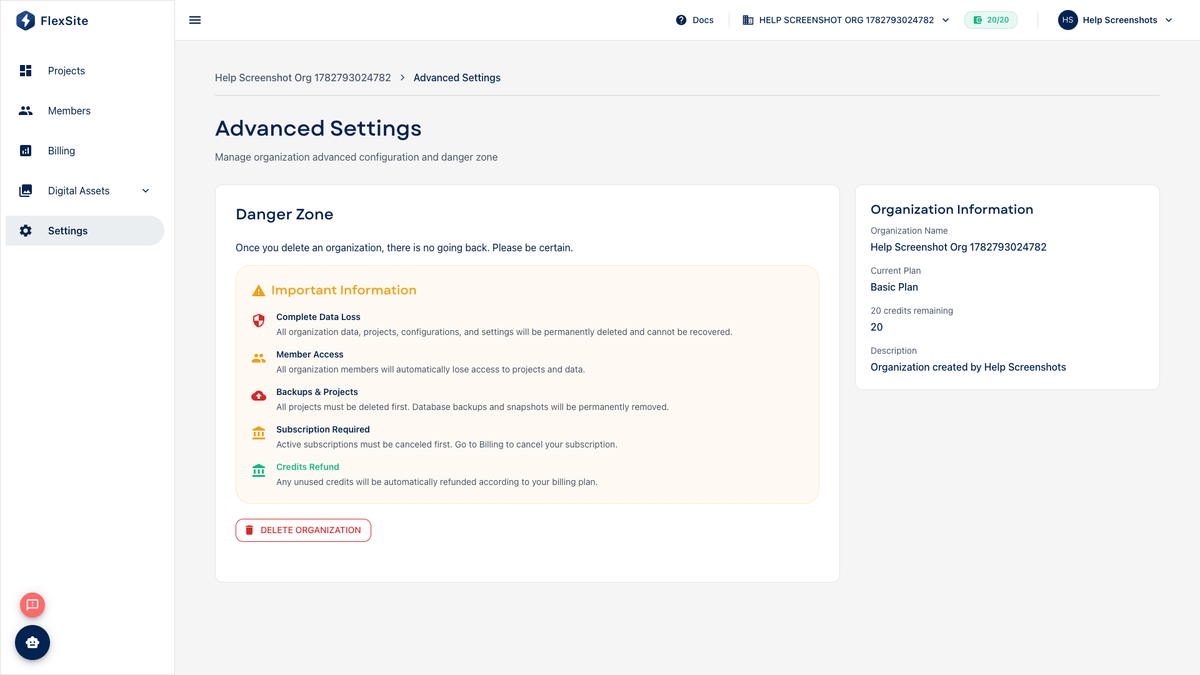
- Choose Advanced Settings from the menu.
- Update the display name or description and save. This does not change your website URLs.
Steps — manage members
- Open Members.
- Click Invite and enter a colleague’s email. Choose a role:
- Owner — full control including billing (use sparingly).
- Admin — manage members and settings, usually including billing.
- Member — access assigned projects only.
- Pending invites appear until the person accepts the email link.
Steps — billing and plan
- Open Billing.
- Open Usage to see credit consumption by project.
- If you are on TRIAL, upgrade to ACTIVE to unlock custom domains and Support.
Danger zone
Under Settings → Advanced Settings, owners can delete the organization after removing or transferring all projects. Deletion is permanent and cannot be undone.